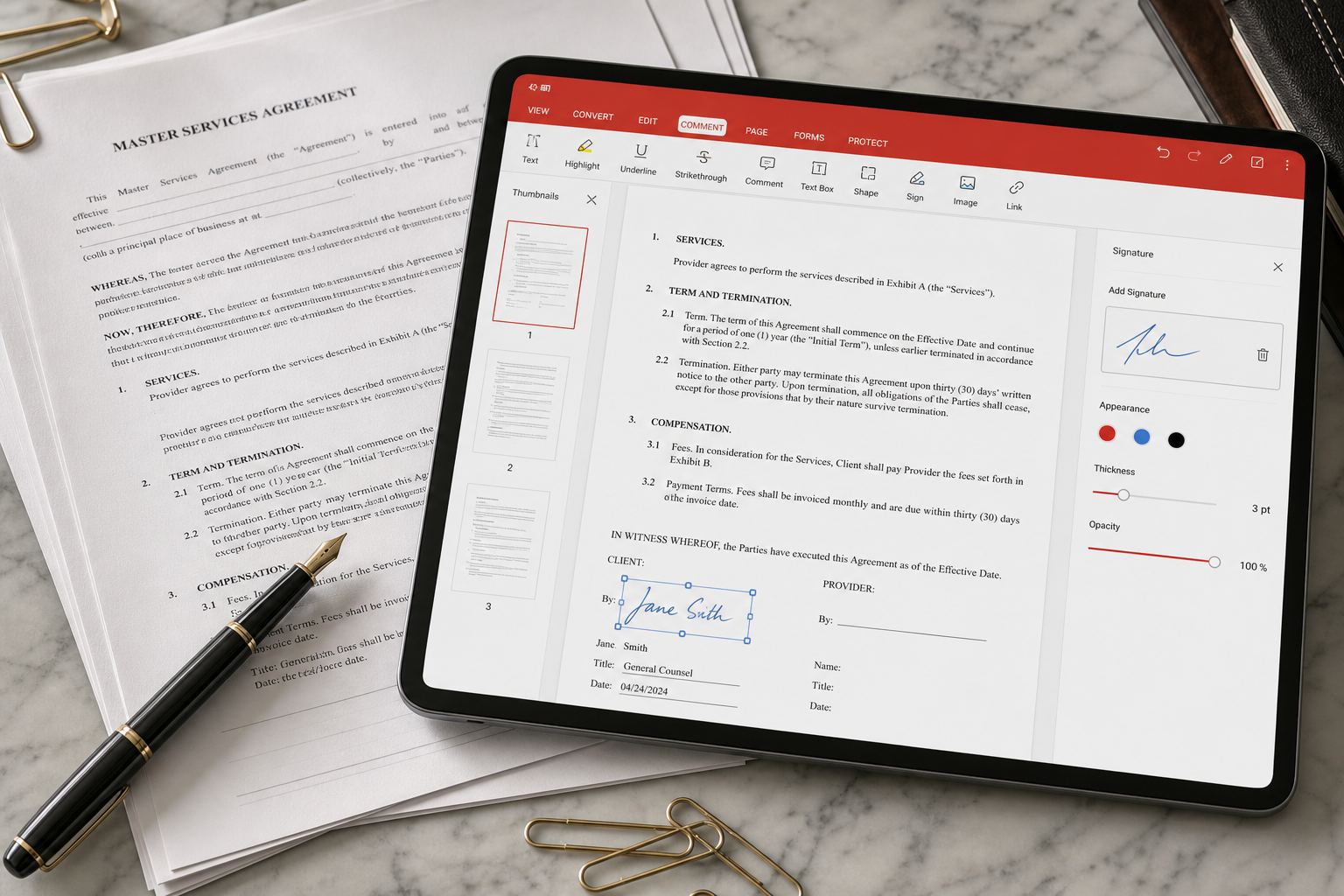
Reader versus editor
Opening a PDF, highlighting, and adding a comment is the free-path core. Changing paragraphs in place, OCR on a scan, unlimited convert/merge, and some signature features are the usual paid gates. Exact walls move with promotions — count how often you bounce off them in two weeks before you subscribe.
Convert with eyes open
A born-digital PDF (exported from Word) converts far better than a photographed contract. If the file is a picture of text, you need OCR, not “PDF to Word.” Details: convert PDF to Word.
Forms and signatures
WPS can fill PDF forms and place a signature. For anything with legal weight, confirm the other party accepts that signature type. A PNG of your name is not always a qualified e-signature in your jurisdiction.
Merge, split, compress, batch print
These utilities are why people uninstall a separate PDF garage of apps. Compress before you email. Split before you share a 200-page board pack with a vendor who only needed appendix C.
Browser extension and online tools
WPS also ships a PDF browser extension and web tools (summarize, compress, convert). Convenient, but a confidential HR PDF should stay on disk. Privacy-first AI is a Kingsoft talking point — still read the prompt box before you upload a passport scan.
Online extras listed on the official download hub include AI summarizer, email writer, HEIC to JPG, and compress PDF. Useful; not a replacement for the desktop editor on an airplane.
Annotations that survive email
Highlights and sticky notes are the free-path core. Flatten or print-to-PDF before you send a marked-up contract if the other party’s viewer is ancient. Comments parked on a scanned image may not travel. If a professor wants a clean copy plus a marked copy, export both — do not assume they can toggle WPS markup.
OCR in practice
OCR is only as good as the photo. Level the page, crop the table edge, shoot in daylight. A photographed whiteboard is not a contract scan. Quota walls are common on free SKUs; a thesis month of permission slips is when people pay. Walkthrough: PDF to Word · Word to PDF.
Compression and email
A 80 MB board pack will bounce. Compress, then open the result and check that signatures did not pixelate into fog. Split appendix C into its own file if a vendor should not see the rest. Small business.
The browser extra
Web compress/convert tools and a PDF extension exist for library PCs. Confidential HR files stay on disk. Web tools.